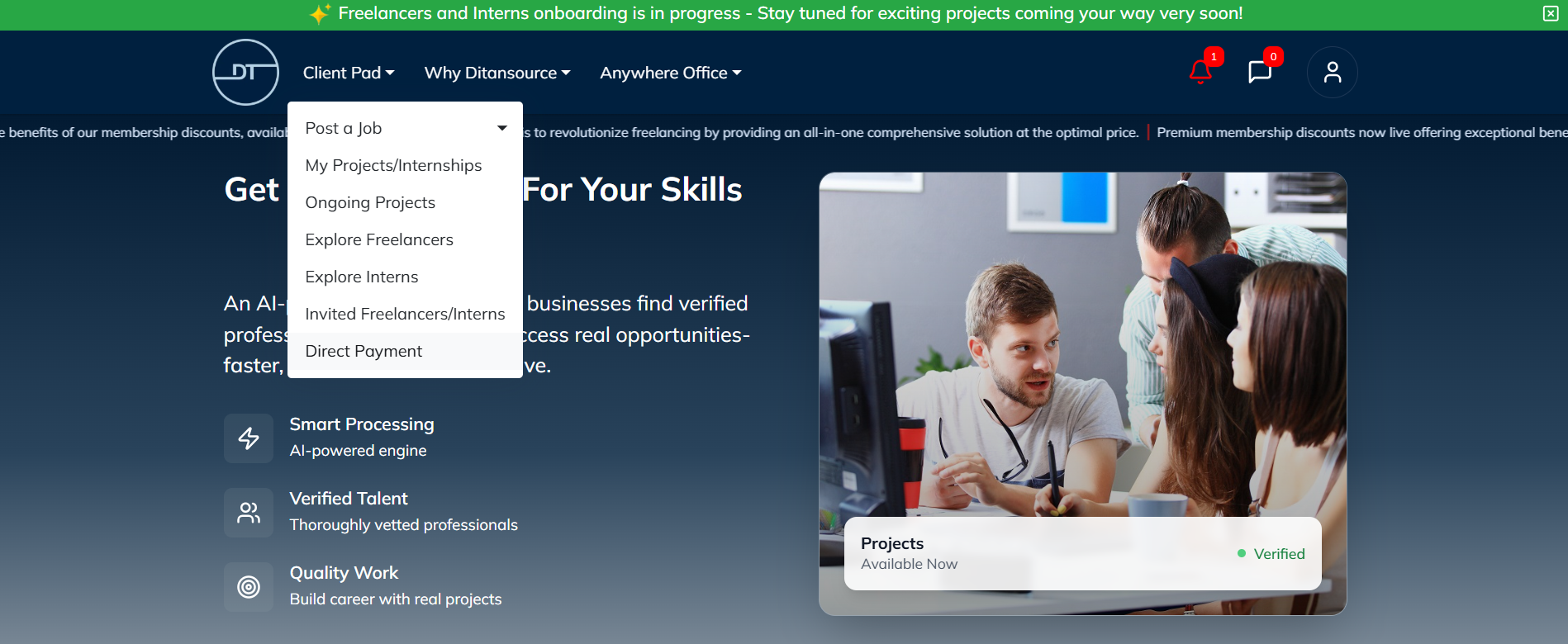
From the Client Pad menu, click on Direct Payment to securely send a payment to Ditansource Inc. This feature allows you to make quick and secure payments directly from your account without any additional steps
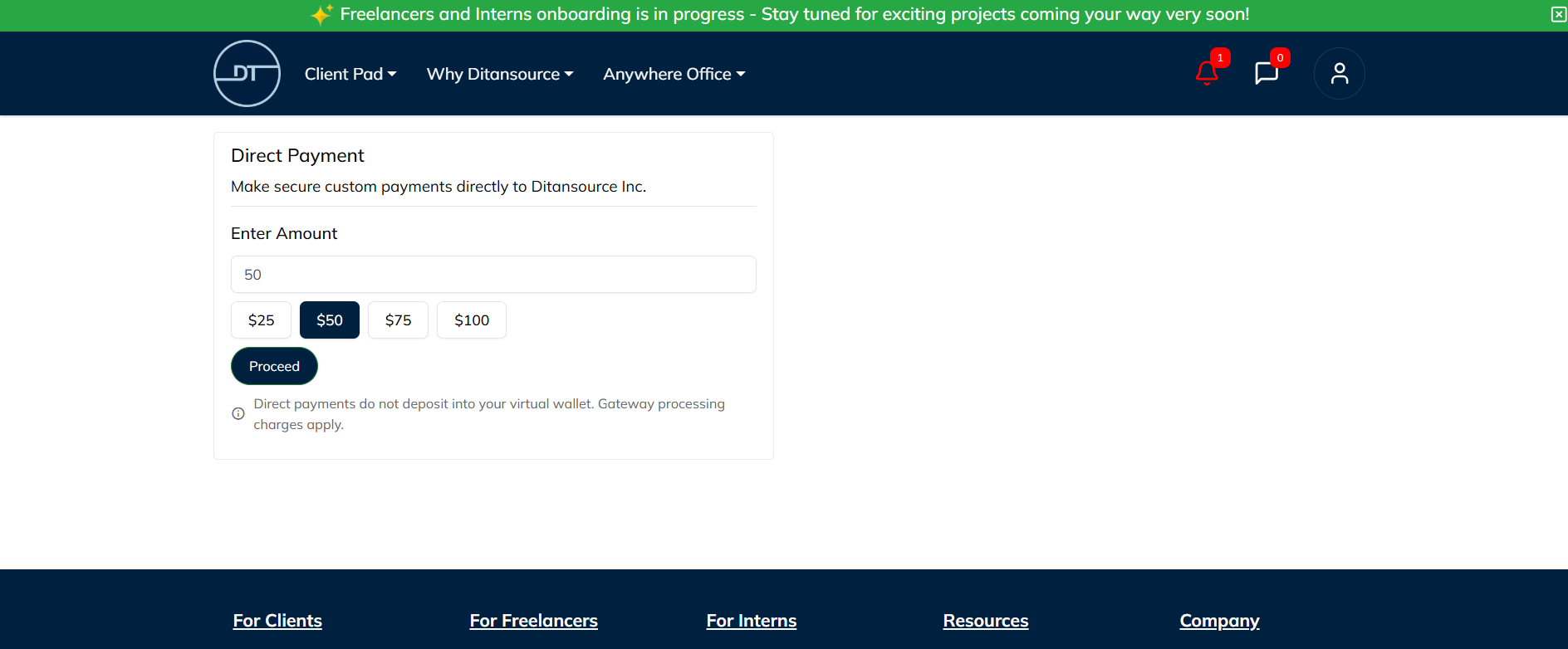
Enter your preferred payment amount manually or choose from the available preset amount options for added convenience. Once the amount is confirmed, click Proceed to review your payment details and continue to the next step.
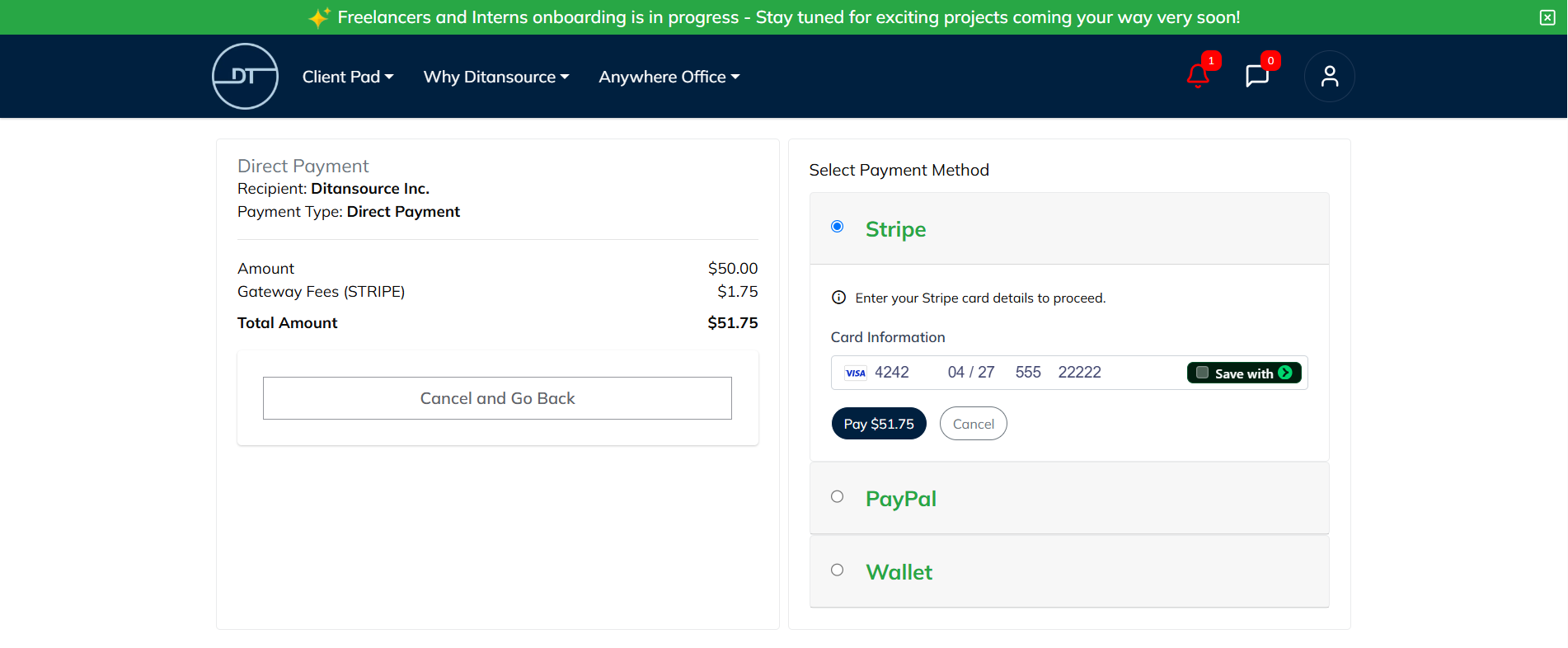
Review the payment summary, including the total amount and applicable gateway charges. Select your preferred payment method from the available options:
- Stripe (Credit/Debit Card)
- PayPal
- Wallet
Complete the payment using the payment method that best suits your preference.
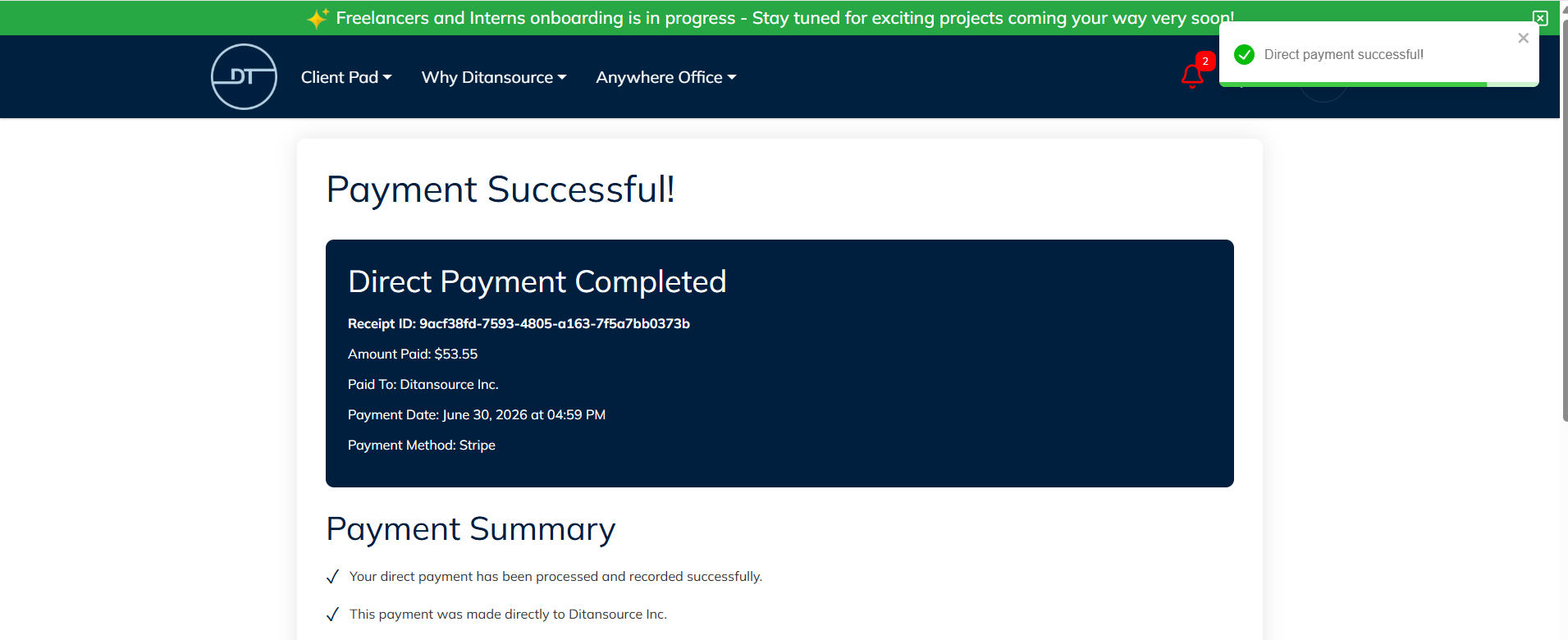
Once your payment is successfully processed, you will be automatically redirected to the Payment Successful page. This page provides a complete summary of your transaction, including:
- Payment receipt
- Transaction ID
- Amount paid
- Payment date and time
- Payment method used