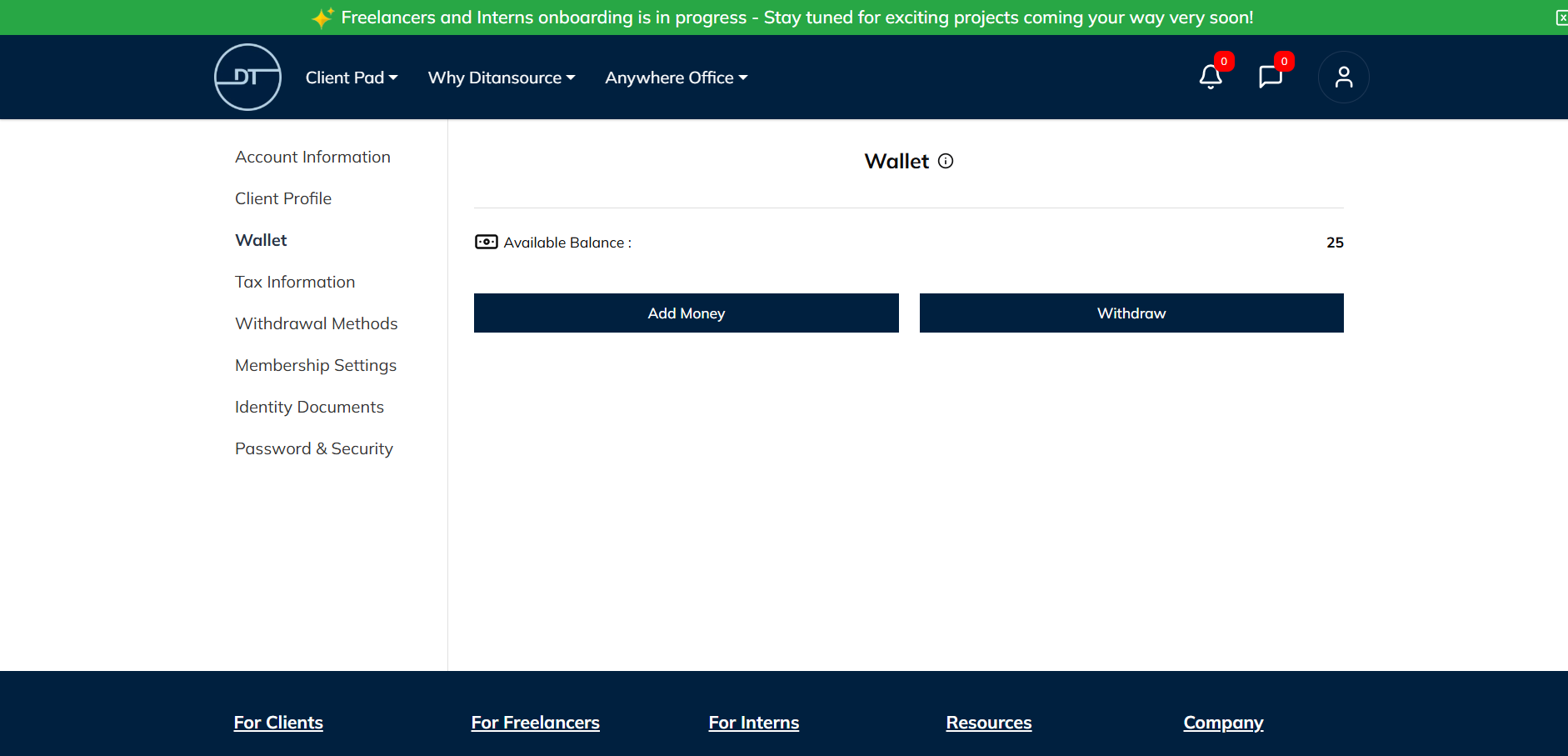
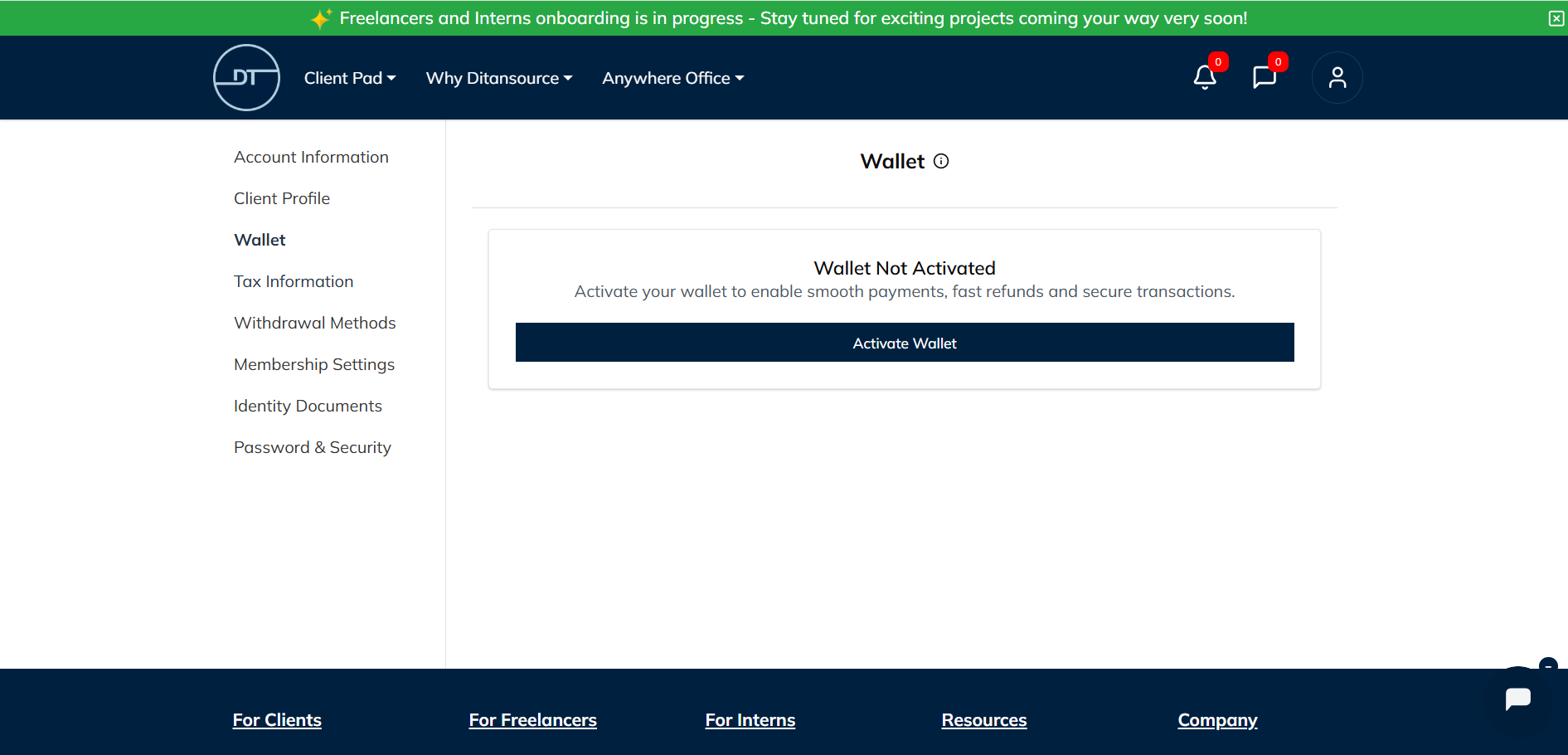
From the Homepage, click on your Profile and navigate to the Account page. Select Wallet from the left-side menu to access your wallet dashboard, where you can manage your balance, add funds, and withdraw money.

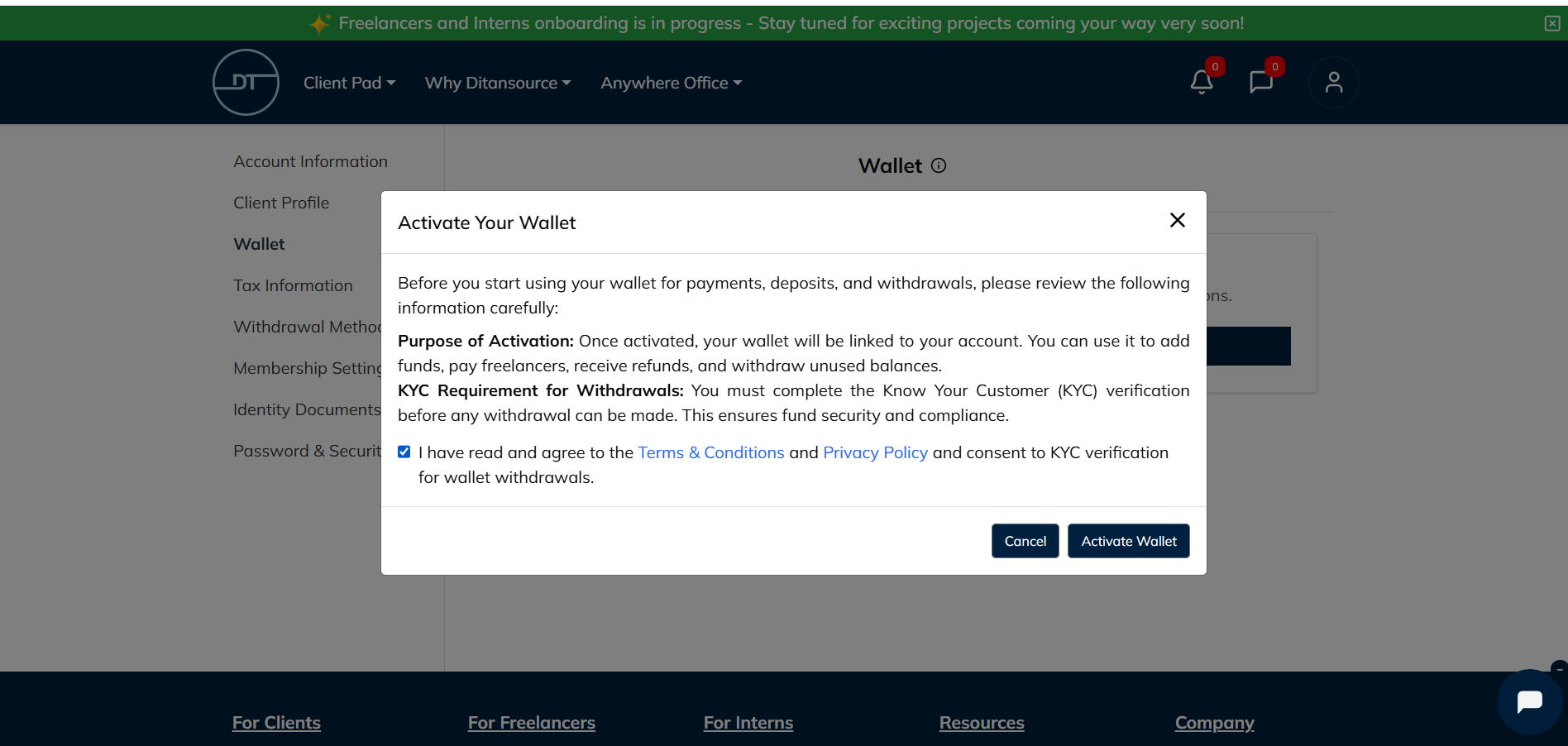
If your wallet is not yet activated, click Activate Wallet. Carefully review the wallet activation details, accept the Terms & Conditions, and click Activate Wallet to enable your wallet and continue with the setup process.
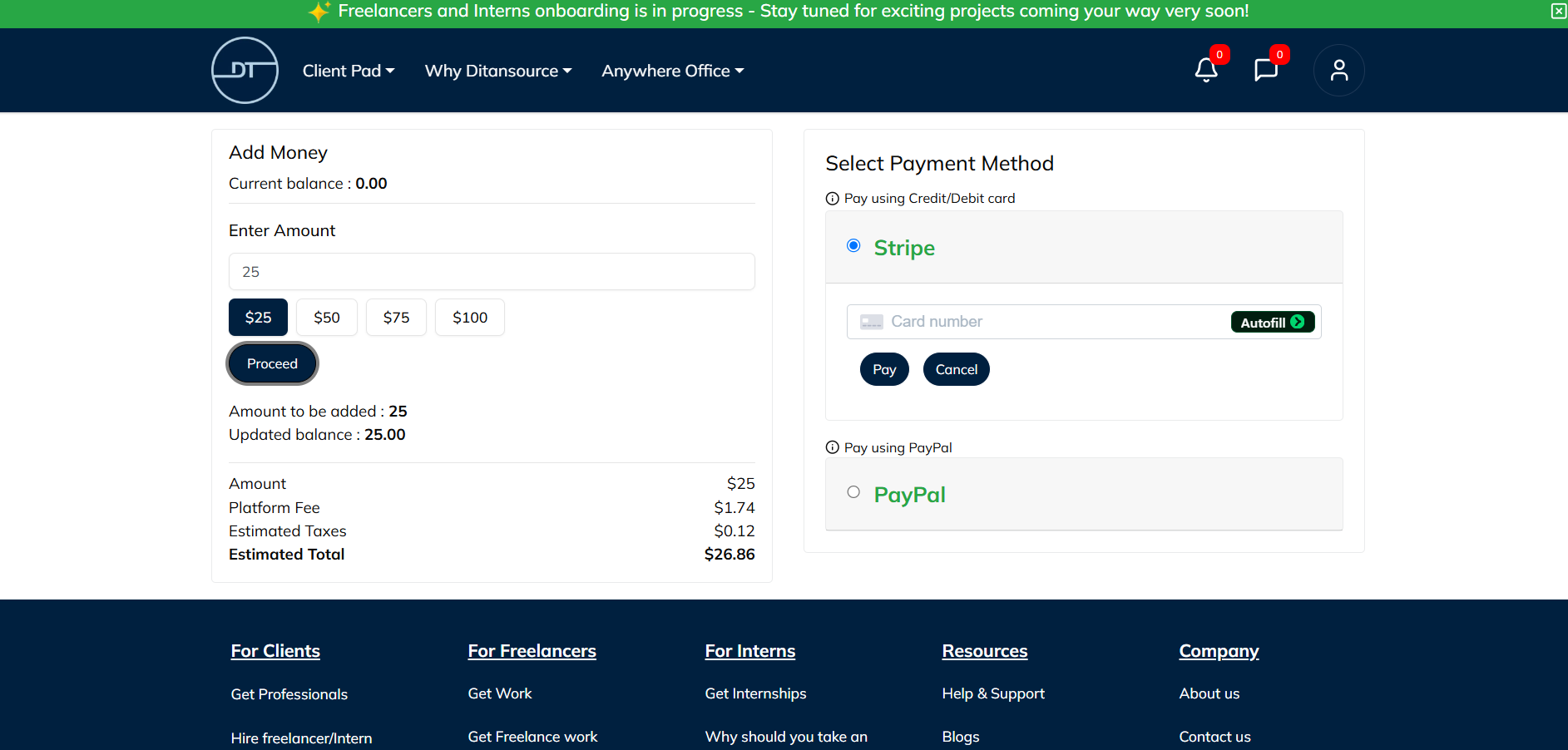
Once your wallet is activated, you can add funds by entering your preferred amount or selecting one of the available preset values. Review the payment details, choose your preferred payment method, and complete the transaction to successfully update your wallet balance.
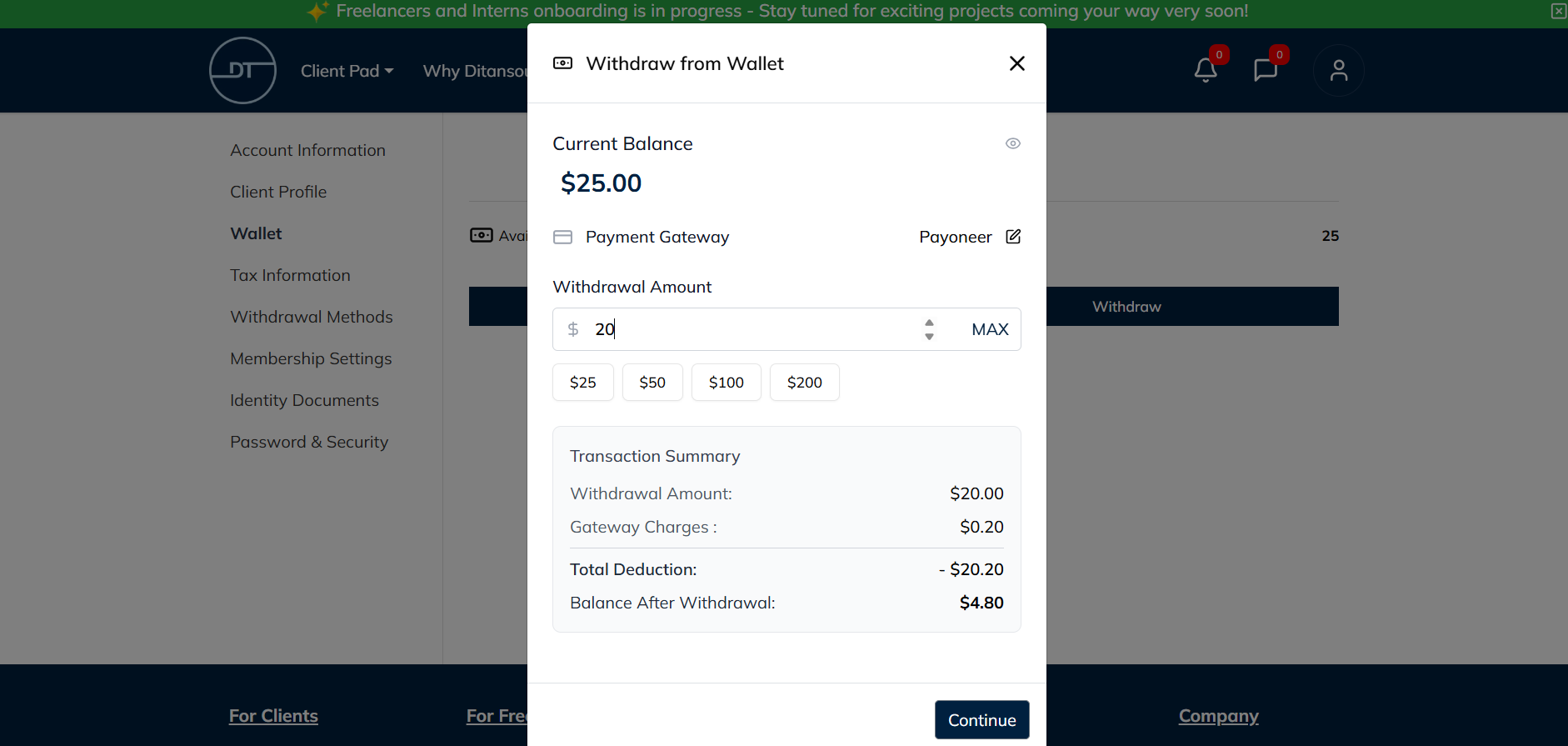
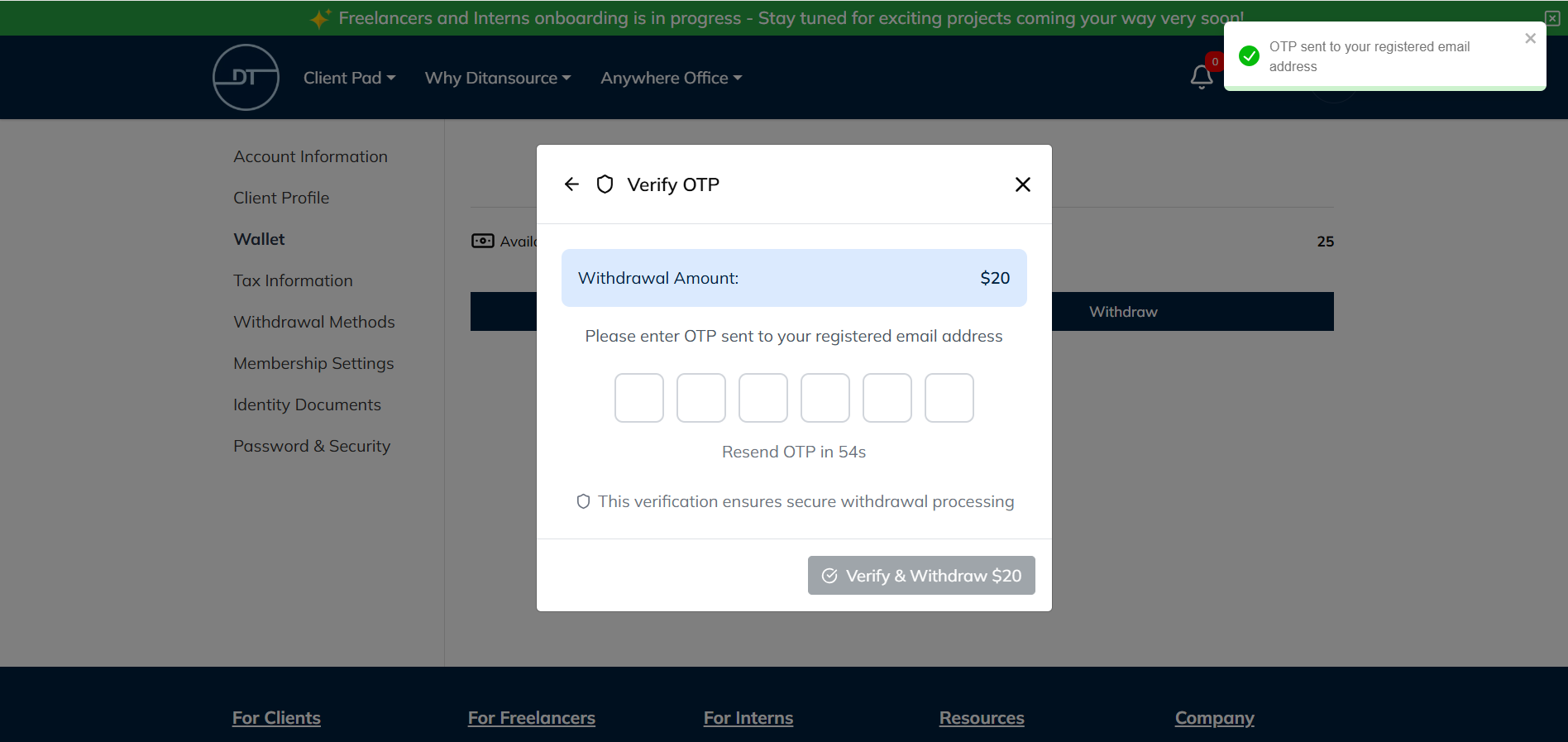
Note: To withdraw funds from your wallet, KYC verification must be completed. Until your KYC request is approved, the Withdraw option will remain disabled and withdrawals will not be available.
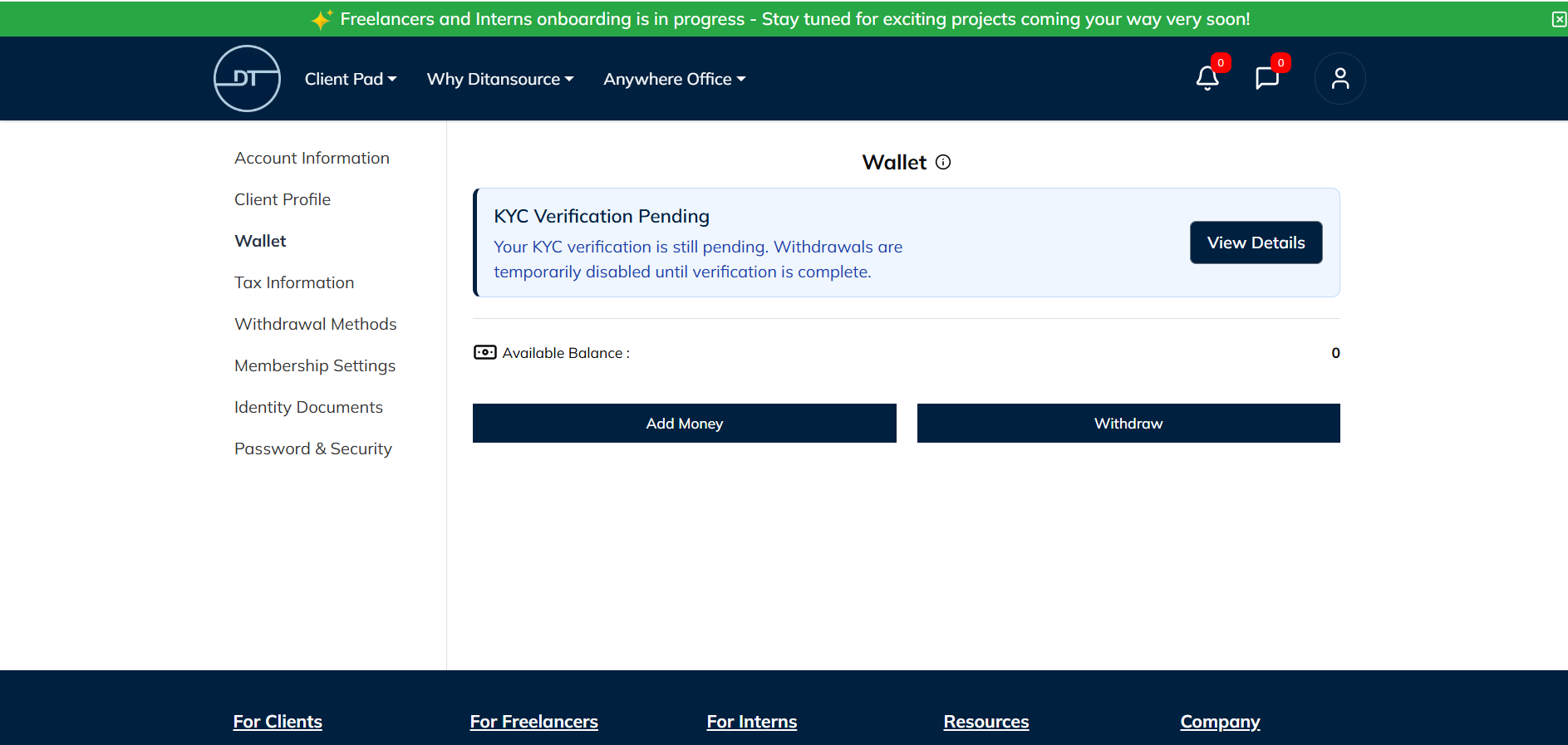
Once your KYC verification has been successfully completed and approved, all wallet features will become available. You will be able to securely withdraw your available balance in addition to using other wallet services.
After funds have been added, your available wallet balance will be displayed on the wallet dashboard. From here, you can easily Add Money whenever needed and, after successful KYC verification, Withdraw your available balance securely.