
How to View Invitations
Ditansource allows both Freelancers and Interns to receive project and internship invitations directly from clients. Instead of searching for opportunities yourself, clients can invite you to apply for projects or internships that match your skills and experience. The View Invitations section helps you keep track of all the invitations you have received, review their details, and decide whether to accept or decline them. Regularly checking your invitations ensures that you never miss an opportunity that could help you grow your career on Ditansource.
To view your invitations, first sign in to your Ditansource account using your registered email address and password. Once you have successfully logged in, you will be taken to your dashboard. If you are a freelancer, navigate to the Freelancer Pad. If you are an intern, open the Intern Pad. Both sections provide access to opportunities related to your profile and account.
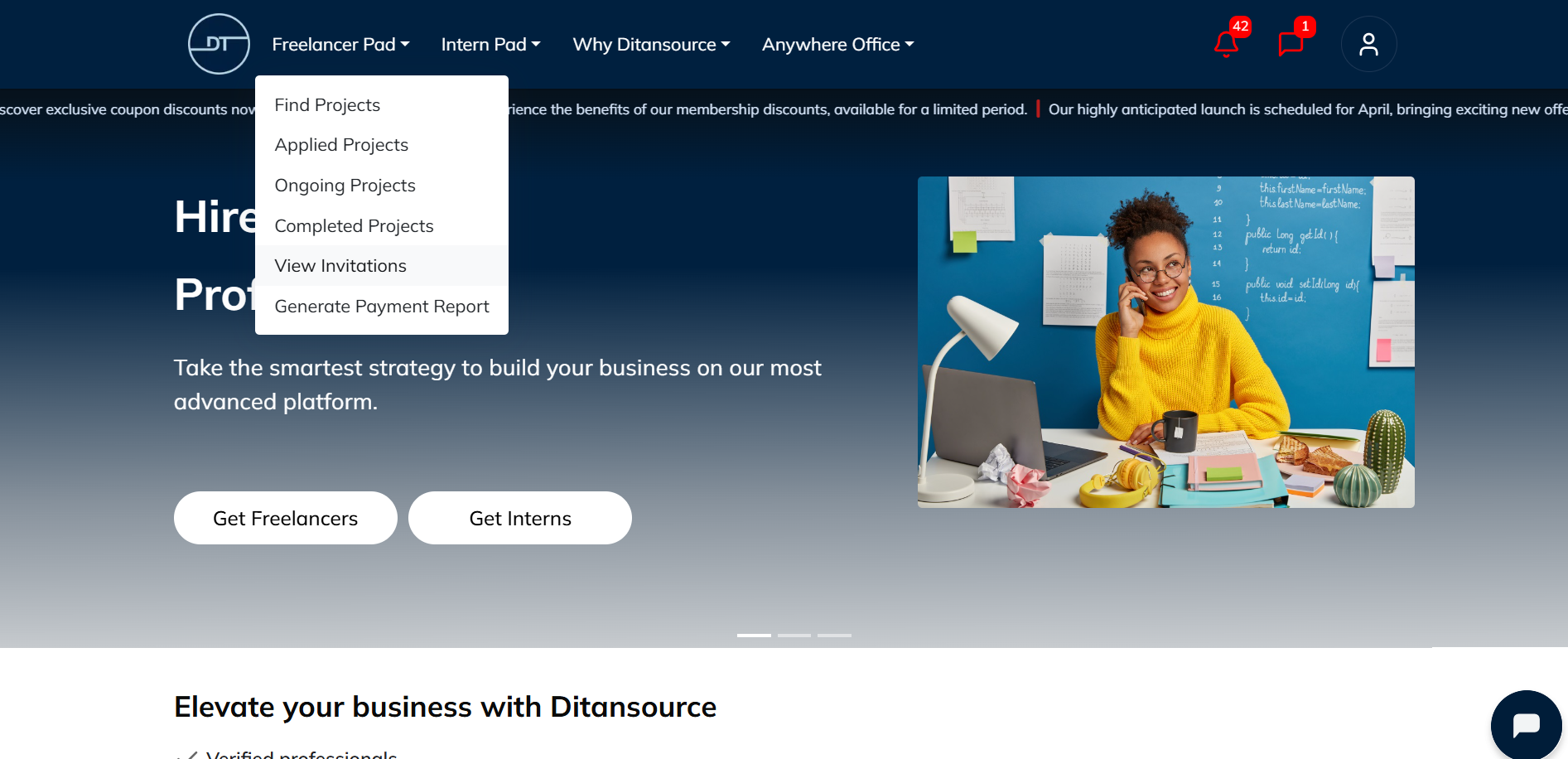
From the Freelancer Pad or Intern Pad menu, click on View Invitations. This page displays all the project or internship invitations that have been sent to your account by clients. Each invitation contains a brief overview, allowing you to quickly identify new opportunities that may match your skills and interests.
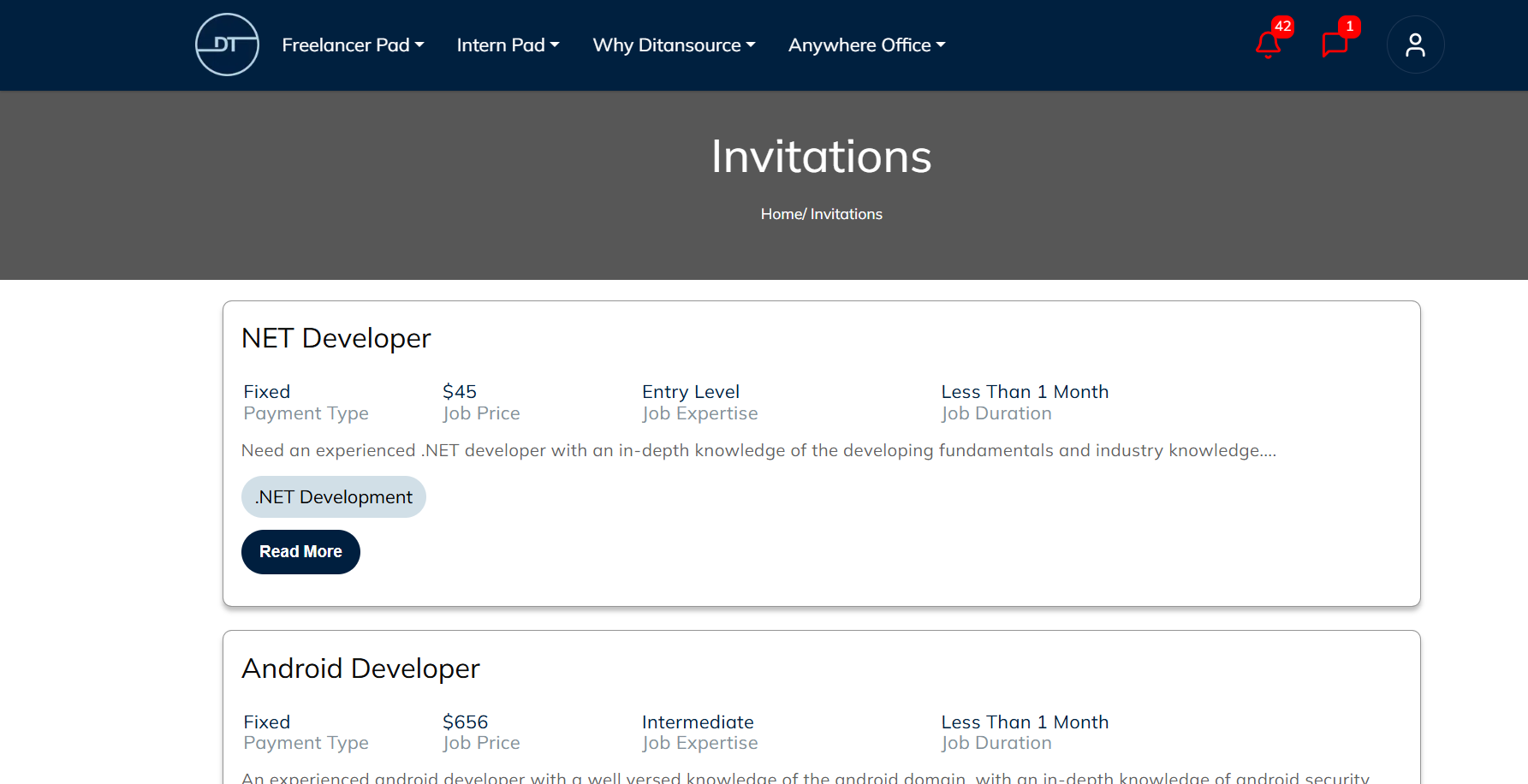
To learn more about a particular invitation, click on the Read More button. This will open the complete invitation details, where you can review all the important information before making your decision. The detailed page typically includes the project or internship description, required skills, responsibilities, expected deliverables, duration, payment details (if applicable), and any additional instructions provided by the client. Reading these details carefully helps you determine whether the opportunity is suitable for your experience, availability, and career goals.
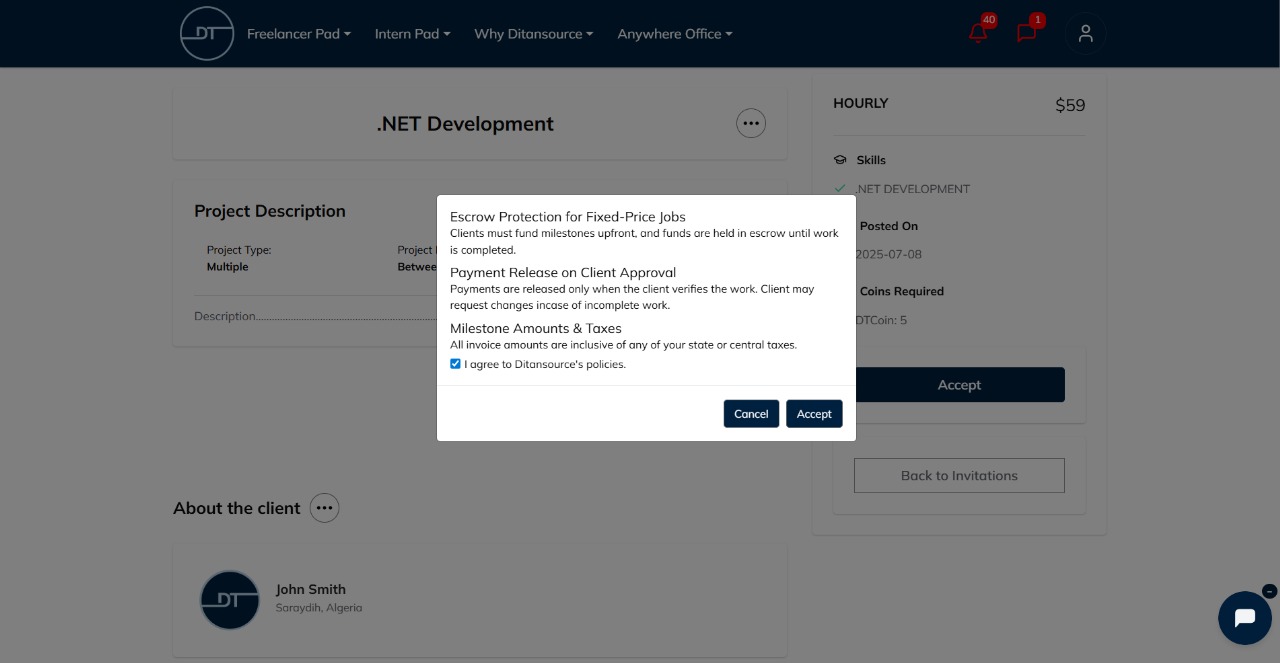
Now all the necessary details of the project (or internship) will appear, to accept the invite click on “Accept”.
 .
.
By following these steps, you can easily view and accept project or internship invitations on Ditansource. If you experience any issues while accessing your invitations or need additional assistance, please contact our support team at contact@ditansource.com, and we will be happy to assist you.