
How to Generate Payment Invoices
Generating payment invoices on Ditansource is a quick and straightforward process. After successfully completing a payment, you can download an invoice anytime for your records or future reference.
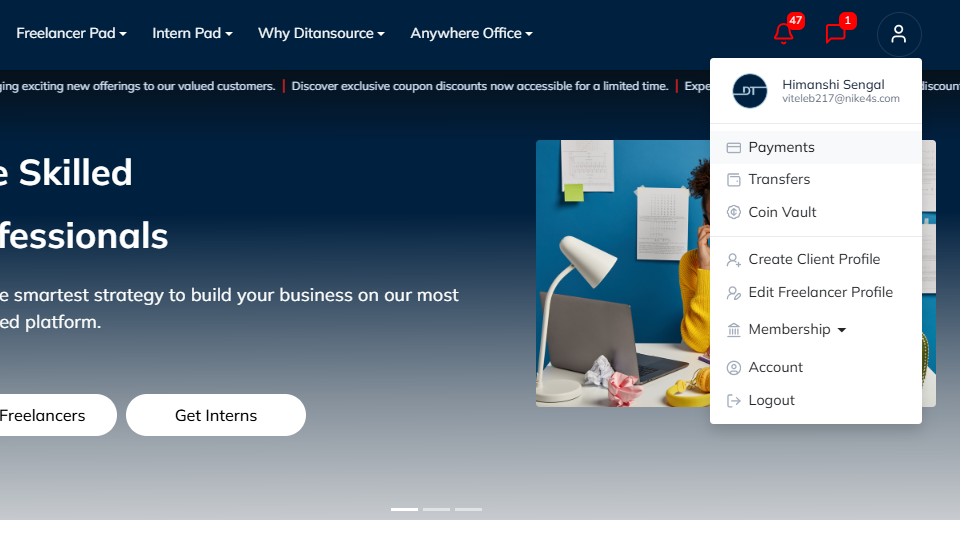
To begin, log in to your Ditansource account and click on your Profile Icon located in the top-right corner of the Homepage. From the dropdown menu, select Payments to open your payment history.
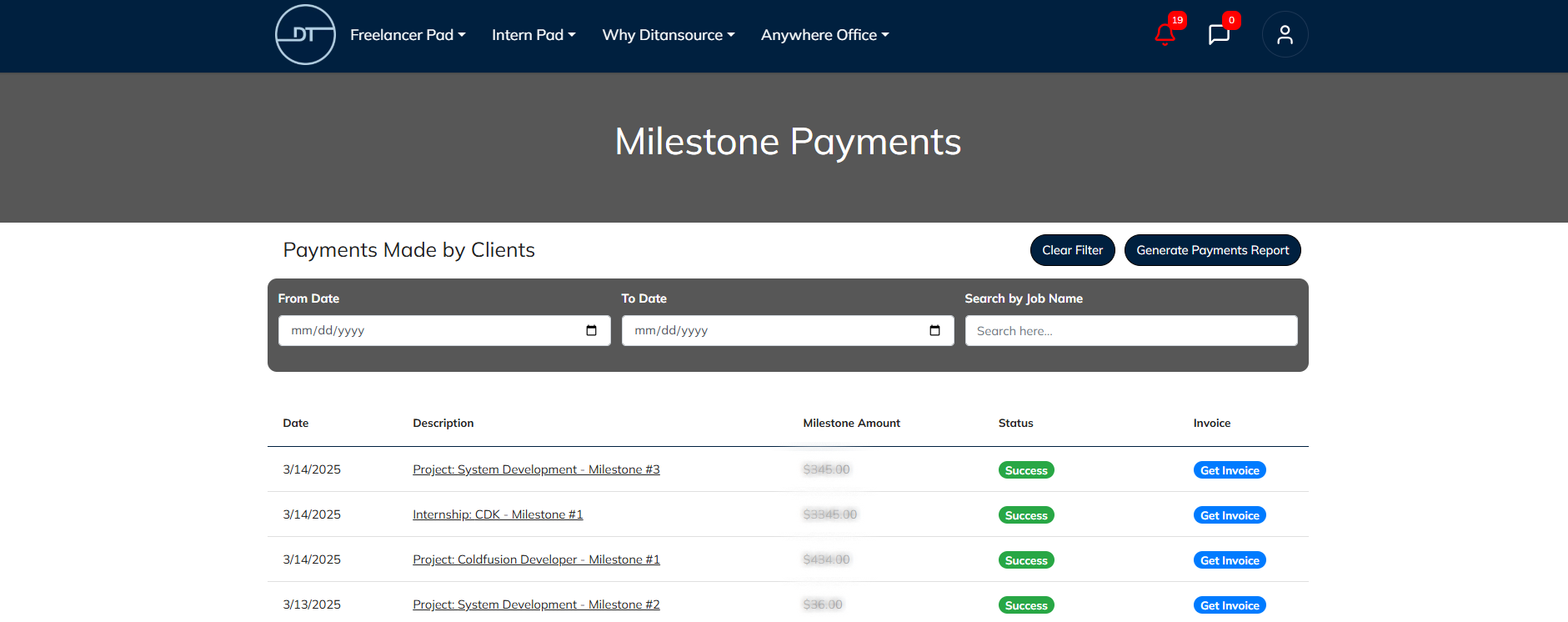
On the Payments page, you will find a list of all your completed payment transactions. Each transaction contains important details such as the payment amount, transaction date, payment method, and current payment status. Locate the payment for which you want to generate an invoice.
Once you have found the desired transaction, click the Get Invoice button. Ditansource will automatically generate a detailed invoice containing all the relevant payment information, including the transaction ID, invoice number, payment amount, payment method, billing details, and the date of the transaction
By following these simple steps, you can easily generate payment invoices for all eligible client payments made through Ditansource. If you experience any issues or need assistance, please contact our support team at contact@ditansource.com. They will be happy to assist you.