
How to Switch Between Profiles (Client and Freelancer)
Ditansource allows users to switch seamlessly between Client and Freelancer profiles without creating separate accounts. This feature is especially useful if you want to hire talented professionals for your projects while also offering your own skills and services as a freelancer. By switching between profiles, you can manage both hiring and working opportunities from a single account, making collaboration more convenient and efficient.
To switch profiles, first log in to your Ditansource account using your registered email address and password. Once you are on your dashboard, locate the profile switch option available in your account.
If you are currently using your Client Profile, click Switch to Work Profile to access your Freelancer dashboard. Once switched, you can browse projects, submit proposals, manage ongoing work, track payments, and access all freelancer-related features available on the platform.
Similarly, if you are currently using your Freelancer Profile, click Switch to Client to return to your Client dashboard. From there, you can create projects or internships, hire freelancers or interns, manage milestones, make payments, and monitor the progress of your ongoing work.
Switching profiles does not affect your account information, project history, or saved data. Both profiles remain connected to the same Ditansource account, allowing you to move between them whenever needed without logging out or creating multiple accounts.
Using both profiles gives you greater flexibility. You can hire skilled professionals for tasks that require additional expertise while continuing to work on projects as a freelancer. This dual-profile functionality is ideal for entrepreneurs, business owners, consultants, agencies, and professionals who want to both outsource work and offer their own services on the platform.
You can switch between your Client and Freelancer profiles as often as required, making it easy to manage different roles from one account. This streamlined experience helps you stay productive while taking full advantage of everything Ditansource has to offer.
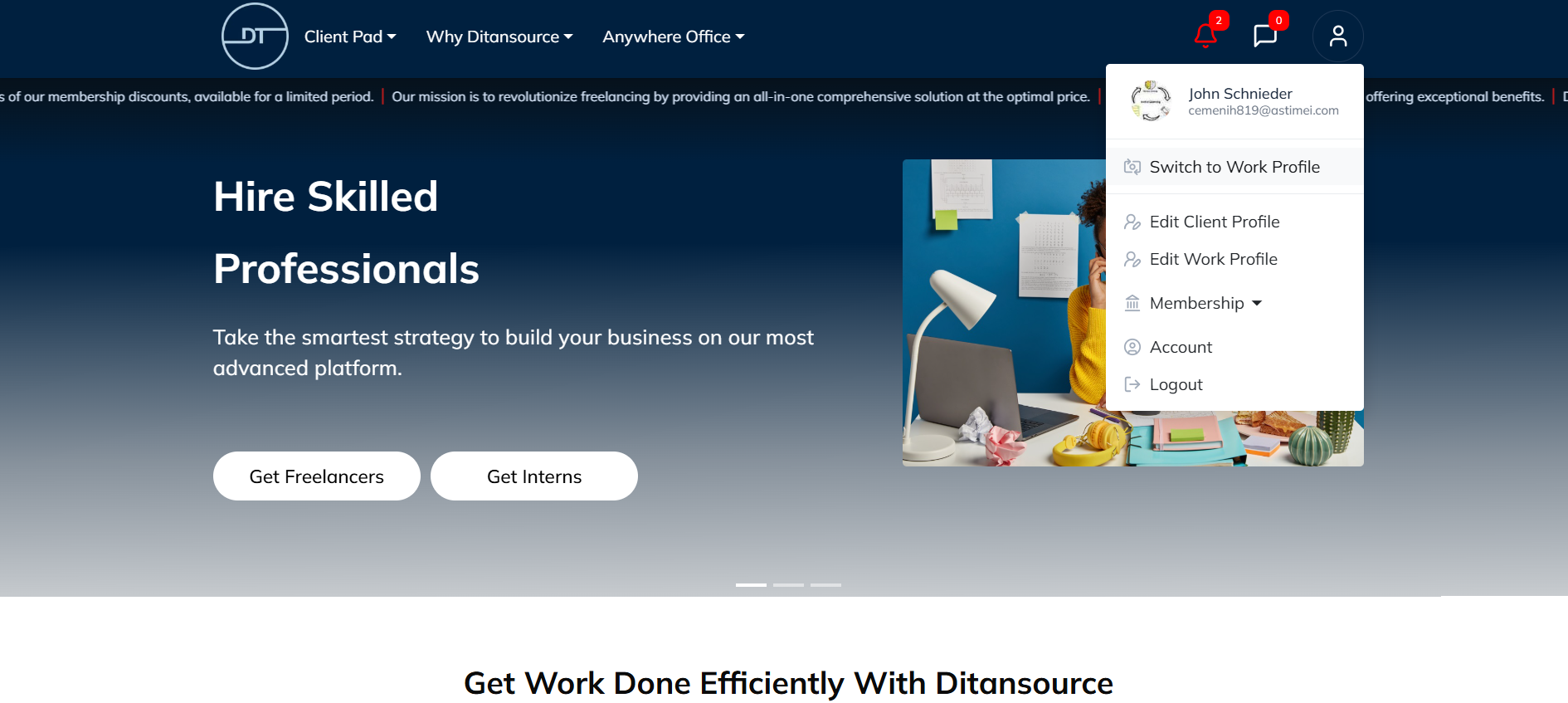
By following these steps, you can easily switch between your Client and Freelancer profiles on Ditansource. If you experience any issues while switching profiles or need additional assistance, please contact our support team at contact@ditansource.com, and we will be happy to assist you.