
How to Upload Your Identity Documents
Uploading your identity documents is an important step in completing your Ditansource account verification. Identity verification helps maintain a secure and trusted platform while ensuring that users can access all eligible features and services. Before you start working on projects or internships, you should upload a valid identity document for verification. Completing this process also enables additional account features that may require identity verification.
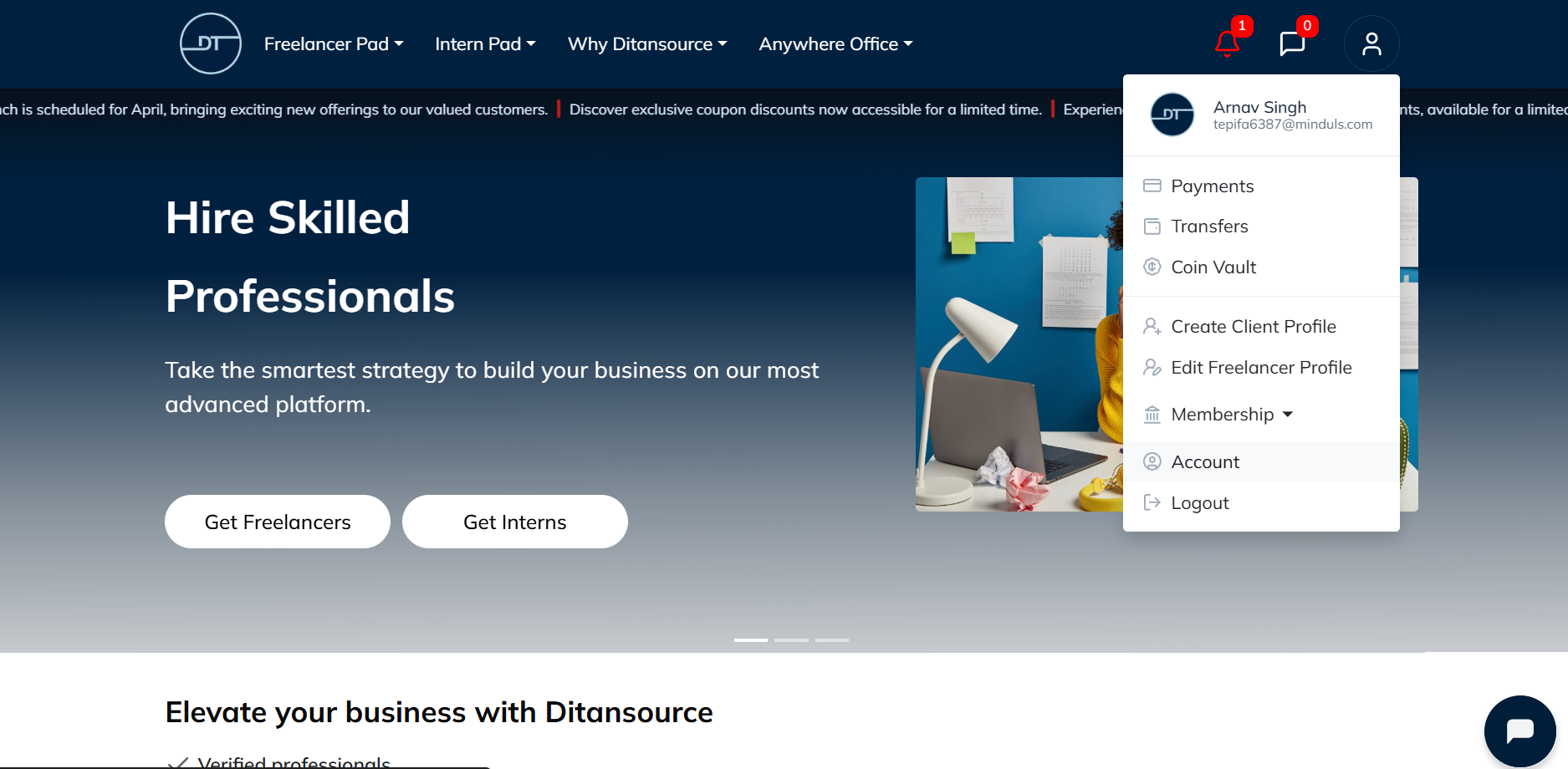
To begin, sign in to your Ditansource account using your registered email address and password. Once you have successfully logged in, you will be directed to your dashboard. In the top-right corner of the screen, click on your Profile icon to open the account menu. From the drop-down list, select Account to access your account management page.
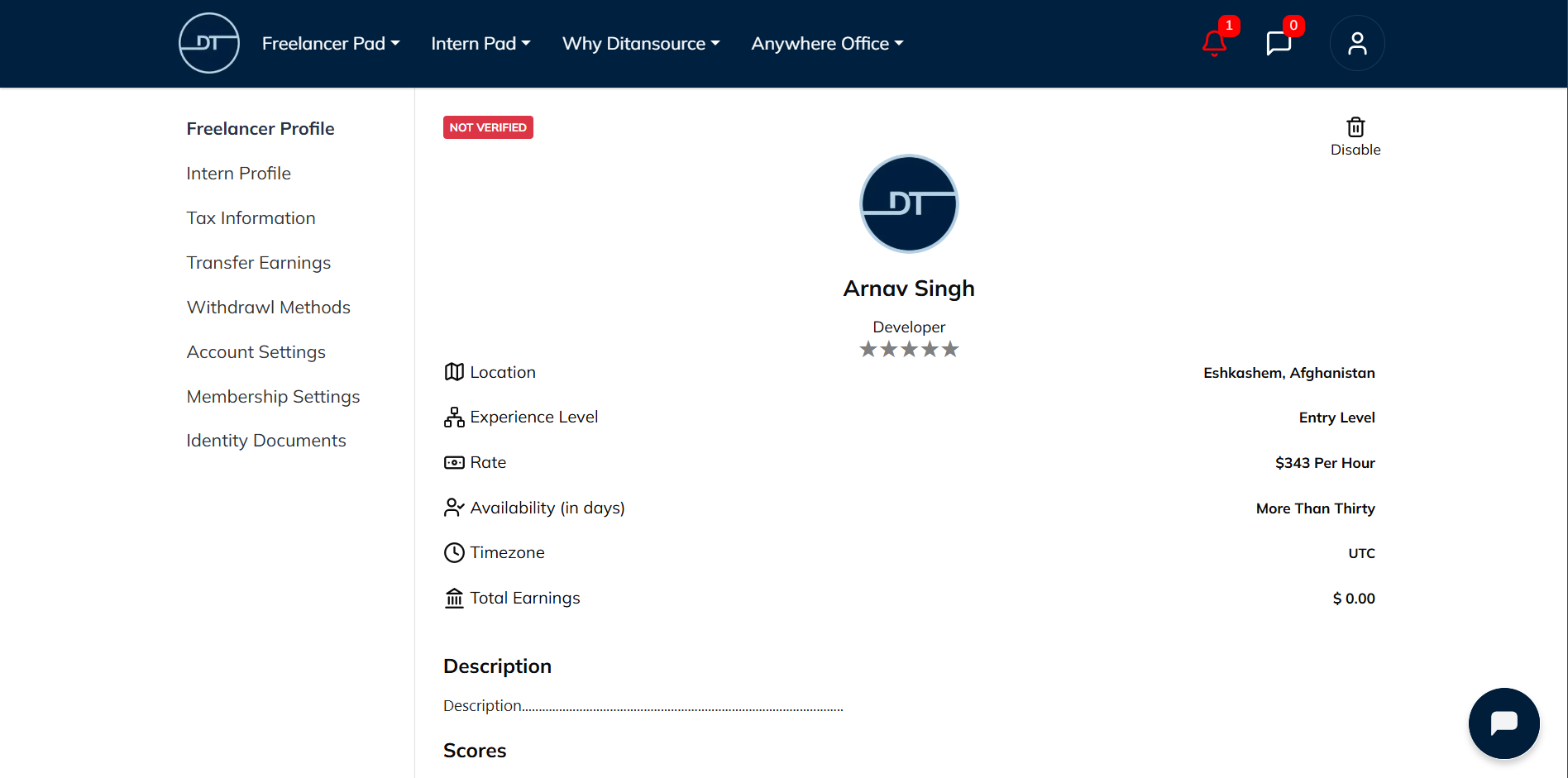
After opening the Account page, locate the navigation menu on the left-hand side and click on Identity Documents. This section allows you to upload and manage your identification documents for verification purposes. If you have not uploaded any documents previously, you will see the option to begin the verification process.
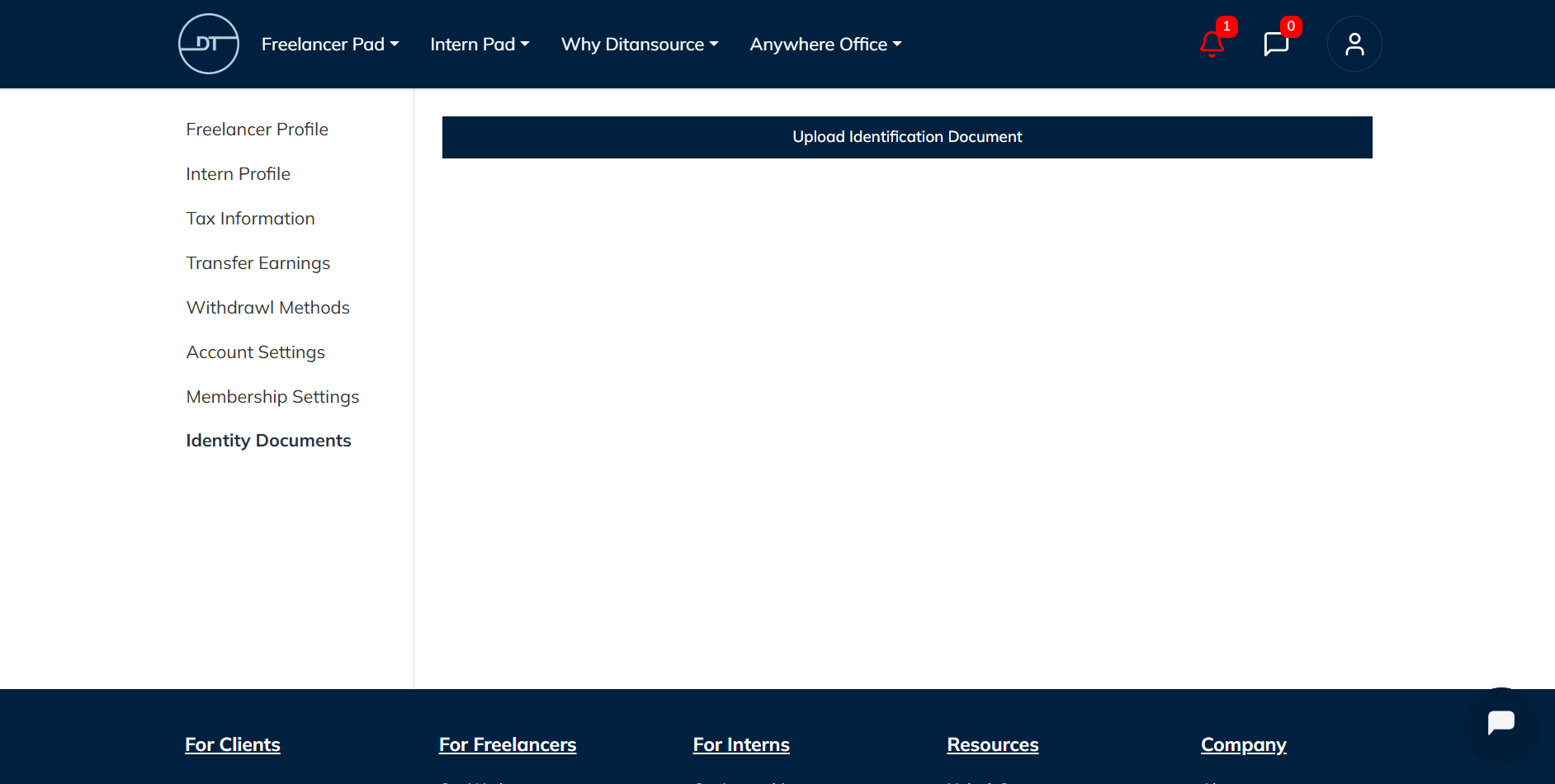
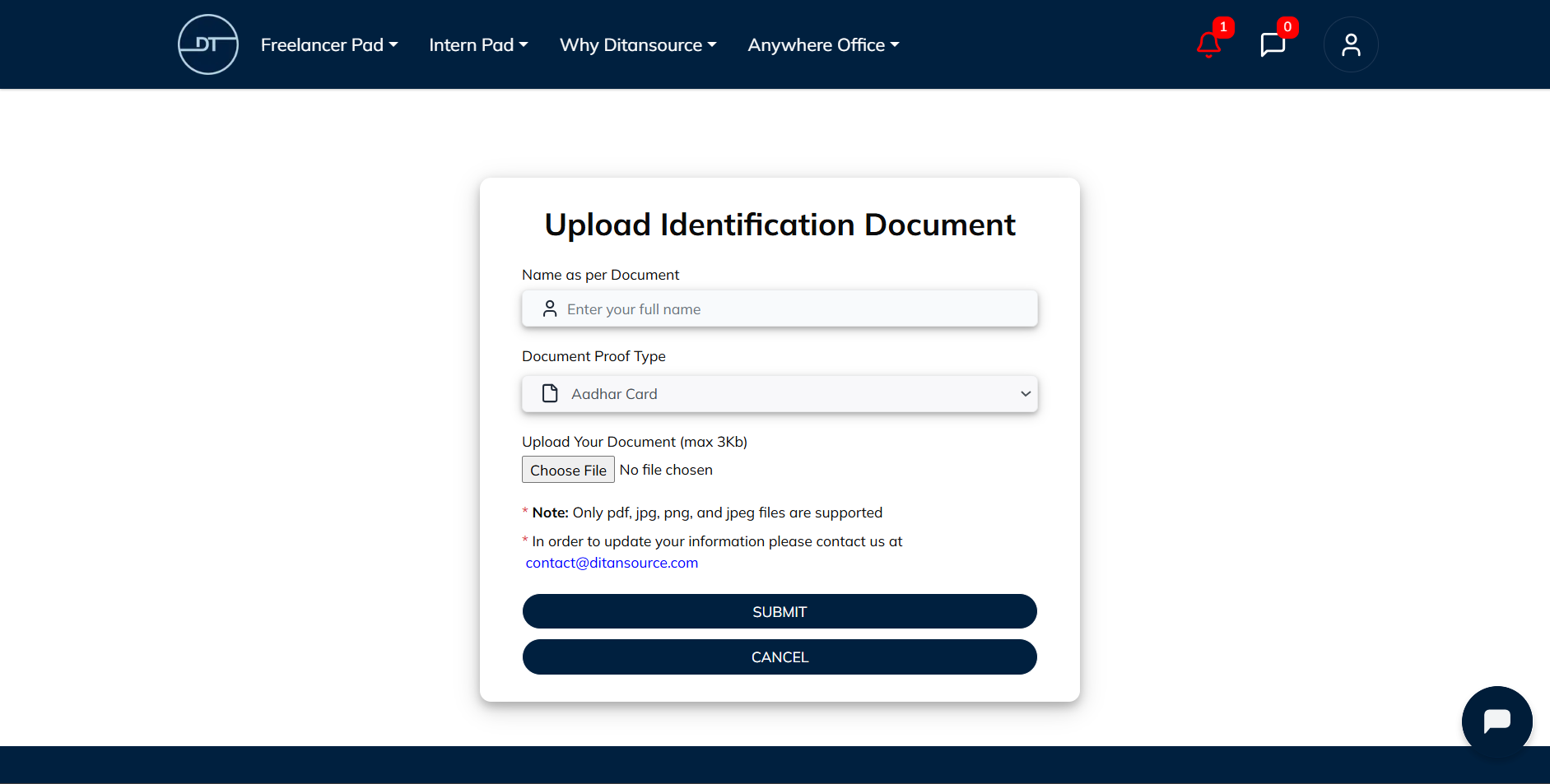
Click on Upload Identification Document to continue. A document submission form will appear where you will need to provide the required information. Enter your full legal name exactly as it appears on your identification document. It is important that the information you enter matches your document to avoid delays during the verification process.
Next, select the appropriate Document Type from the available options. After choosing the document type, click Choose File and select the identity document you wish to upload from your device. Before uploading, make sure the document is clear, readable, and complete. The image or scanned copy should not be blurred, cropped, or covered, and all important details should be clearly visible. Uploading a high-quality document helps speed up the verification process and reduces the possibility of your submission being rejected.
After reviewing all the information and confirming that the correct file has been selected, click the Submit button to upload your identity document. Your document will then be securely submitted for verification. Once the upload is complete, your document will be reviewed by the Ditansource team. Depending on the verification process, it may take some time before your document is approved. During this period, you may see your verification status displayed within the Identity Documents section.
To avoid delays, always ensure that the uploaded document is valid, unexpired, and belongs to you. The name entered in the form should exactly match the name shown on the document. If the uploaded file is incomplete, unclear, or contains incorrect information, you may be asked to upload the document again.
Uploading your identity documents not only helps verify your account but also improves the security and trustworthiness of the Ditansource platform. A verified account allows clients and other users to have greater confidence while working with you and may be required before accessing certain platform features, payments, or withdrawals.
By following these steps, you can easily upload your Identity Documents on Ditansource and complete the verification process. If you experience any issues while uploading your documents or need additional assistance, please contact our support team at contact@ditansource.com, and we will be happy to help you.